Roadwurx Launches Municipal Referral Program to Reward Highway Departments for Sharing Success


Published on June 23, 2025
Whether you’re running a town hall help-desk server or supporting cloud-based 311 apps for a county, sooner or later a vendor, auditor, or council member will ask: “Are we SOC 2 compliant?”
SOC 2 is an audit framework published by the American Institute of CPAs (AICPA) that tells stakeholders a service organization (including vendors you hire or systems you operate) is managing data in a secure, reliable, and privacy-minded way.
At its heart sit five pillars called the Trust Services Criteria (TSC). Think of them as the “building-code checklists” an auditor uses when inspecting a digital house. Below we translate each pillar into plain English and give real-world examples for municipal environments.
Plain-English meaning: Only the right people get in, and only for the right reasons.
What auditors look for: Firewalls, role-based access, multi-factor authentication, logging, incident response.
Municipal example: Limiting building-permit system access so that public-facing kiosks can search permits but only authenticated staff can edit or approve them.
Plain-English meaning: Systems stay up and running when your community needs them.
What auditors look for: Uptime targets, redundancy, disaster-recovery plans, documented maintenance windows.
Municipal example: A GIS server that provides storm-sewer maps must have fail-over in case a flood knocks out the main data center.
Plain-English meaning: Data is processed completely, accurately, and on time, no silent errors.
What auditors look for: Input validation, automated checks, reconciliation reports, change-management procedures.
Municipal example: When residents pay water bills online, the amount posted to the billing ledger must match the amount deposited into the treasury’s bank account every single time.
Plain-English meaning: Sensitive information is shared strictly on a need-to-know basis.
What auditors look for: Encryption at rest/in transit, strict data-sharing agreements, secure disposal, access reviews.
Municipal example: Engineering plans filed for a new school are stored encrypted, and only the facilities department, and not general clerks, can download full drawings.
Plain-English meaning: Personally identifiable information (PII) is collected, used, retained, disclosed, and discarded according to law and policy, and residents know what you’re doing.
What auditors look for: Consent mechanisms, privacy notices, data-retention schedules, breach-notification plans.
Municipal example: A parks-and-rec registration portal states exactly how children’s birth dates will be used, and automatically purges them after the season ends unless parents opt in for next-year reminders.
Define the scope – Decide which systems/services will be examined (yours, a vendor’s, or both).
Gather evidence – Policies, screenshots, logs, diagrams, test results.
Auditor testing – A licensed CPA firm reviews controls and evidence.
Report issued –
Type I: “Controls are in place today.”
Type II: “Controls operated effectively over time (3–12 months).”
| Quick Win | Why It Helps with SOC 2 |
|---|---|
| Centralize user provisioning (e.g., via Microsoft Entra or Google Workspace) | Shows consistent access control across multiple apps. |
| Document your DR test every budget year | Proves availability planning isn’t theoretical. |
| Use a ticket number for every config change | Demonstrates processing-integrity and security change management. |
| Encrypt backups—even “internal” ones | Strengthens confidentiality without big cost. |
| Publish a resident-facing privacy notice | Covers privacy criteria and builds public trust. |
“We have MFA - except for two legacy apps.” Auditors notice gaps.
Treating vendor SOC 2 reports as a rubber stamp. Read them; confirm your data is covered.
Policy without practice. A beautiful incident-response plan is worthless if no one does the annual tabletop exercise.
Scope creep. Start small (e.g., the cloud permitting platform) before adding every system in city hall.
SOC 2 isn’t just a bureaucratic hoop—it’s a blueprint for running trustworthy public-sector IT. By translating the Trust Services Criteria into everyday actions—locking digital doors, keeping the lights on, double-checking the math, guarding secrets, and honoring residents’ privacy - you not only satisfy auditors, you strengthen citizens’ confidence in digital government.
When the next council meeting asks, “Are we secure?” you’ll have more than a yes—you’ll have the map that got you there.
Roadwurx Launches Municipal Referral Program to Reward Highway Departments for Sharing Success
Why Every Road Department Should Use Asset Management Software

Breaking Silos: Using Shared Dashboards for Cross-Departmental Visibility

5G + Edge Computing for Adaptive Traffic Signals
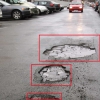
Computer Vision Pothole Detection

Open-Source Alternatives: When They Make Sense